Get back to your kitchen
Check sync, recover imports, and find the right next step.
A recipe is missing on another device
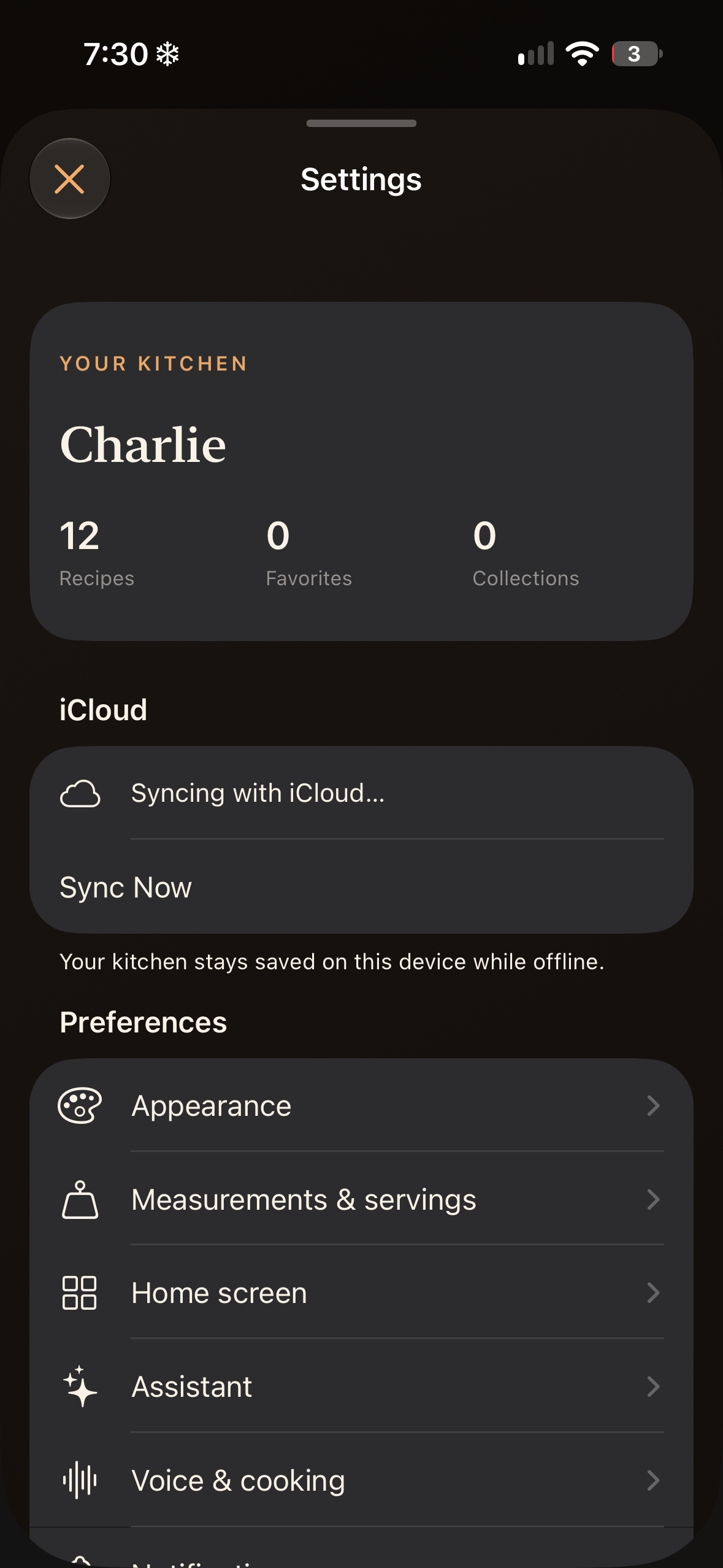
Check that both devices use the same Apple account and have iCloud Drive enabled. Make sure they are connected to the internet. Changes sync automatically when iCloud is available; offline edits wait for a connection. Check the iCloud status in Saffron Settings and try Sync Now.
An import could not finish
Open Settings → Your recipes → Imports needing attention when that option appears. Retry a failed file import, or dismiss its staged copy if you no longer need it. Dismissing it does not delete the original file. For a website, try importing the full text or clear screenshots instead.
An assistant reply is unavailable
On compatible hardware, check Apple Intelligence in device Settings and allow setup to finish. Saffron does not use cloud AI as a fallback on that hardware. On unsupported hardware, check the optional online assistance setting and internet connection.
Permissions or timers are not working
Check Saffron’s microphone, speech, and notification permissions in device Settings. In-app timers remain visible even if notification permission is off. Check Voice & cooking preferences if you want the cooking screen to stay awake.
Still need a hand?
Email Support@cooksaffron.com with your device model, system version, Saffron version, and the steps that led to the issue. Include a nonprivate example or screenshot if useful. Do not delete your data to troubleshoot; contact us first if you are unsure.